
Video to Audio Converter for iPhone
The website is the better tool at a desk. The app is the better tool where your videos actually are — in the camera roll, often with no signal.
- Converts straight from Photos or Files, with nothing uploaded
- MP3, M4A, AAC and WAV at 64, 128, 192, 256 or 320 kbps
- Works with no internet connection at all
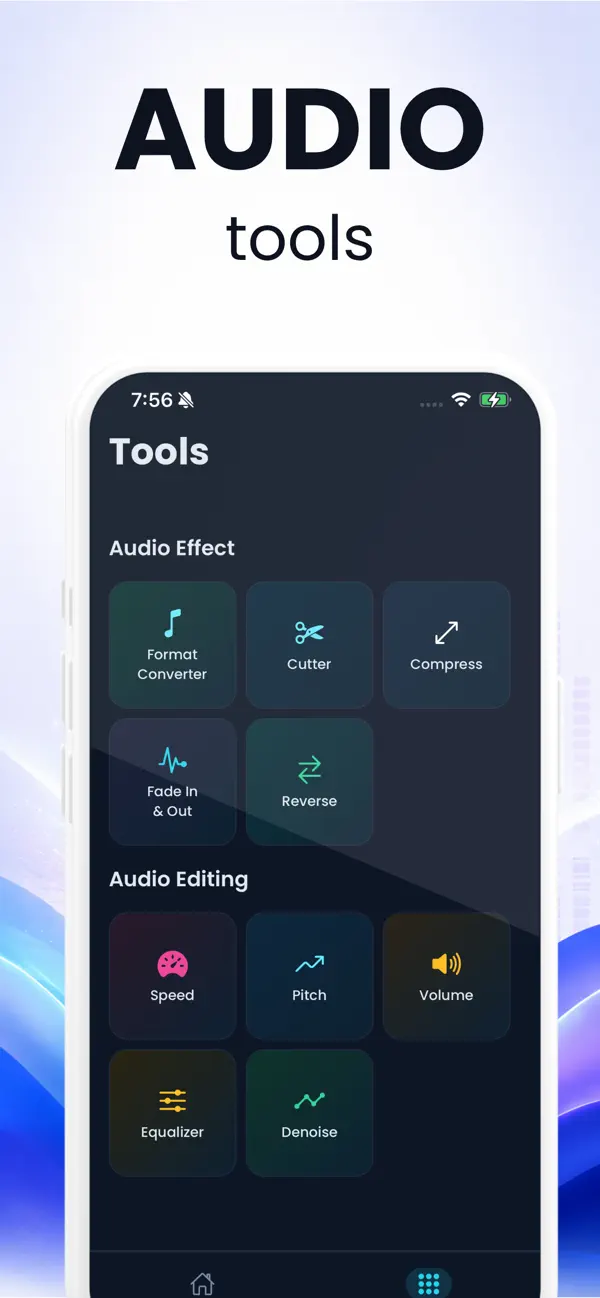
- Twelve audio tools: cutter, compress, fade, reverse, speed, pitch, volume, equalizer, denoise, reverb and channel control
- Every conversion kept in History, ready to share again
- Twelve languages, including Arabic with a right-to-left layout
4.6 out of 5 from 41 ratings on the App Store, read on 19 September 2026.
What the app is for
Every video you actually want the sound from is already on your phone: the lecture you recorded, the voice note someone sent, the clip you filmed. Moving it to a computer to extract audio is the slowest part of the job, and on a train with no signal an online converter is no use at all.
The app does the same work on the device. It reads the video out of Photos or Files, pulls the soundtrack out with FFmpeg running natively, and writes the audio file straight back — no upload, no account, no network. What takes a minute of AirDropping and uploading takes two taps.
What it does, precisely
Pick a video from the gallery or from Files, choose MP3, M4A, AAC or WAV, choose a bitrate from 64 to 320 kbps, and convert. The result lands in a History list with its format and size, so you can play it, share it or send it somewhere else later without doing the job again.
Alongside the converter there are twelve audio tools: a cutter for trimming, compression for making a file smaller, fade in and out, reverse, speed and pitch control, volume adjustment, an equalizer, denoise, reverb and channel control for fixing a recording that came out on one side only.
What it does not do
Three things worth knowing before you install it, because finding them out afterwards is how apps earn one-star reviews.
- One video at a time. There is no batch mode: the picker takes a single file. A folder of recordings is a job for the queue on this website.
- One free conversion. After that it asks for a subscription. The extractor on this site has no limit and never will — they are different products with different costs behind them.
- No links. Like the website, it works on files that are already on your device.
Privacy
The conversion is local, exactly as it is here. Nothing is uploaded, no account is needed, and the app works in airplane mode — which is the simplest way to prove it to yourself.
What the app looks like
These are the real screens, not mock-ups.
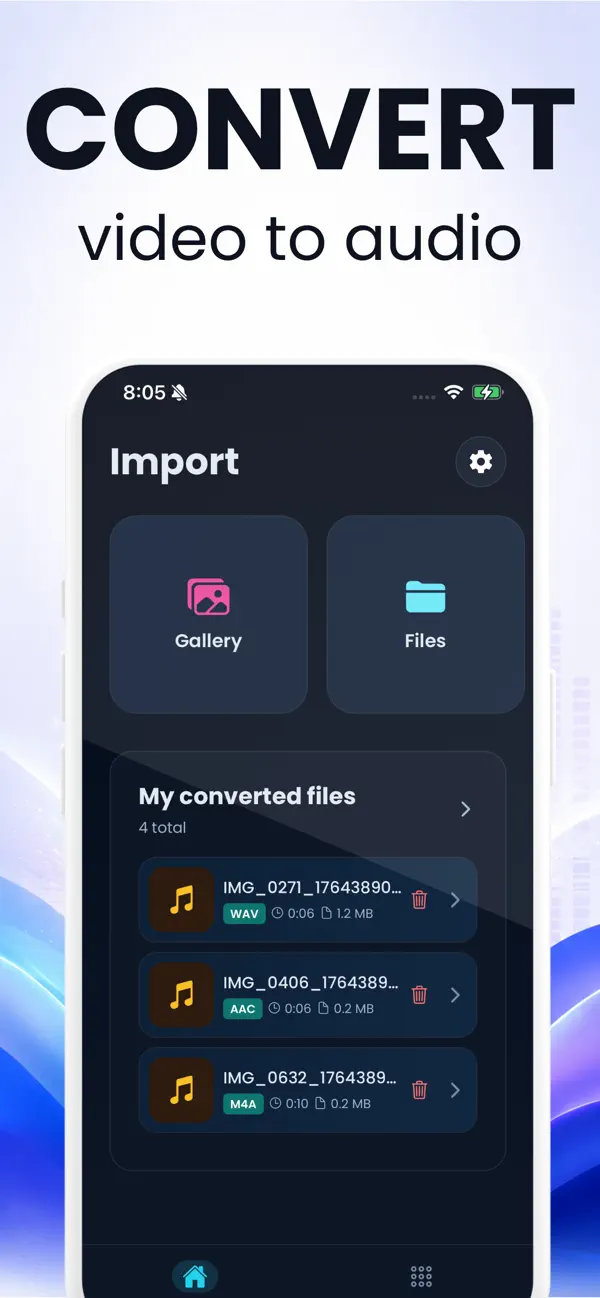
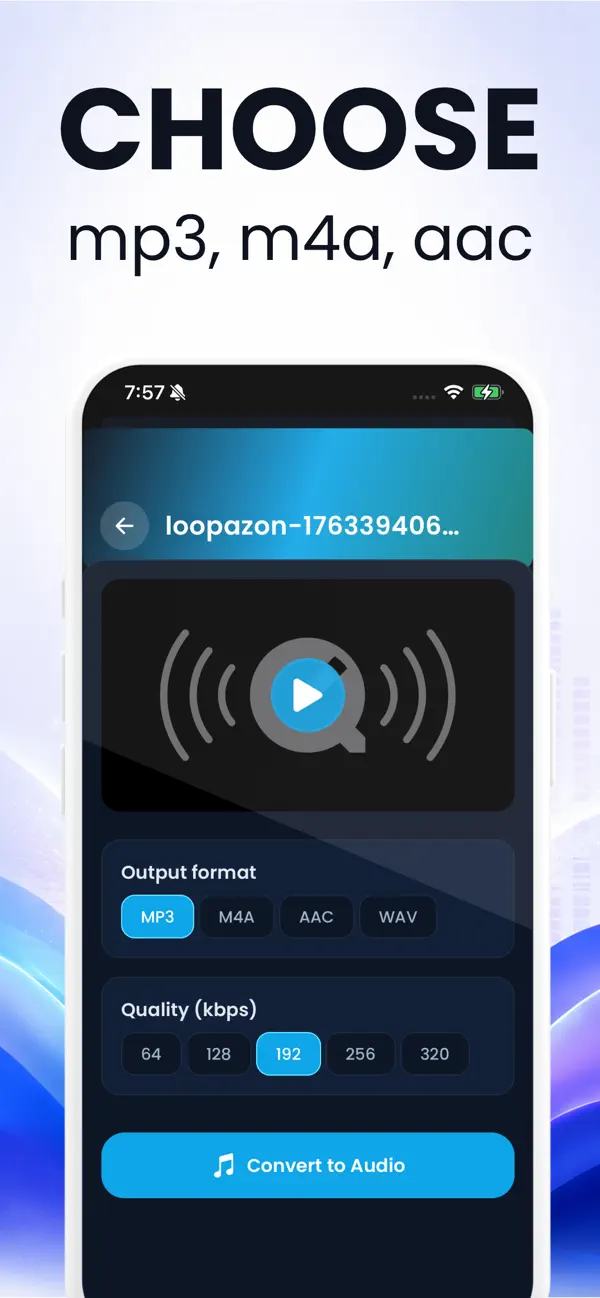
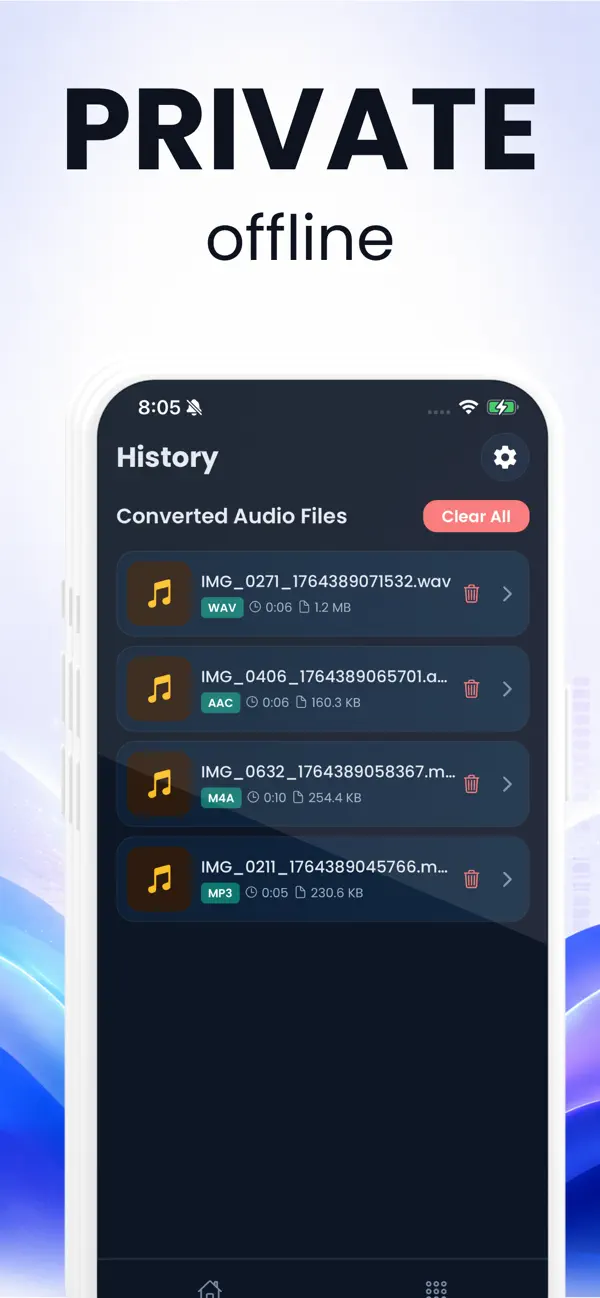
About the app
Is the app free?
It is free to install and gives one free conversion. Unlimited use is a subscription, priced in the App Store. The extractor on this website is free with no limit at all.
Learn more: Extract audioWhich formats does the iPhone app write?
MP3, M4A, AAC and WAV, at 64, 128, 192, 256 or 320 kbps. The website adds FLAC, OGG and untouched Opus extraction on top of those.
Learn more: Extract audioDoes it work offline?
Yes. The conversion runs on the device with no network involved, which is the main reason to have it rather than a website.
Learn more: On iPhoneCan it convert several videos at once?
No — one at a time. For a batch, use the queue on this website, which converts each file in turn and gives you a download for each.
Learn more: Video to MP3Is there an Android version?
Not on Google Play at the moment. Chrome on Android runs this website's extractor on the phone itself, which covers the same job.
Learn more: On Android